なんかの拍子に思考が割り込むとこうなりがち。
$ git git status
git: 'git' is not a git command. See 'git --help'.

The most similar command is
	init
.gitconfig で alias すると解決できる。 git のサブコマンドじゃなく外部コマンドとして git を実行し直すことにする。 Git - Git エイリアス
[alias]
  git = !git
こうなって便利。
$ git git status
On branch main
Your branch is up to date with 'origin/main'.

nothing to commit, working tree clean
ちなみに別プロセスとして実行され直すようなので、 ps を見るとたくさん出現する。例えば $ git git git git git log とか実行しているとこうなって面白い。
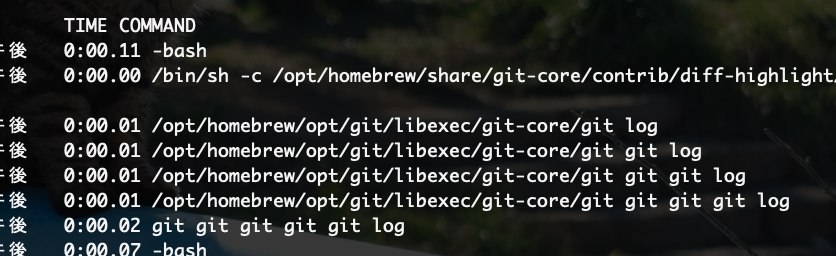
$ ps u
USER      PID  %CPU %MEM      VSZ    RSS   TT  STAT STARTED      TIME COMMAND
hogashi 47840   0.7  0.0 435310272  14368 s003  Ss    3:46午後   0:00.11 -bash
hogashi 49413   0.0  0.0 435300624   1936 s002  S+    3:49午後   0:00.00 /bin/sh -c /opt/homebrew/share/git-core/contrib/diff-highlight/diff-highlight
hogashi 49412   0.0  0.0 435312640   8512 s002  S+    3:49午後   0:00.01 /opt/homebrew/opt/git/libexec/git-core/git log
hogashi 49411   0.0  0.0 435304480   7152 s002  S+    3:49午後   0:00.01 /opt/homebrew/opt/git/libexec/git-core/git git log
hogashi 49410   0.0  0.0 435305184   7136 s002  S+    3:49午後   0:00.01 /opt/homebrew/opt/git/libexec/git-core/git git git log
hogashi 49409   0.0  0.0 435304384   7152 s002  S+    3:49午後   0:00.01 /opt/homebrew/opt/git/libexec/git-core/git git git git log
hogashi 49408   0.0  0.0 435304912   7280 s002  S+    3:49午後   0:00.02 git git git git git log
...
